How to Create a CustomBooks™ Academy Account
Before enrolling in CustomBooks™ Academy courses, you need access to the Academy learning platform.
Your CustomBooks Academy account is separate from your CustomBooks application account, so the username and password you use for the CustomBooks application may not be the same credentials you use for Academy.
Create an Academy account
Step 1: Go to CustomBooks Academy
Visit the CustomBooks Academy page. Click the "To create a user Click Here" button to access Academy registration.
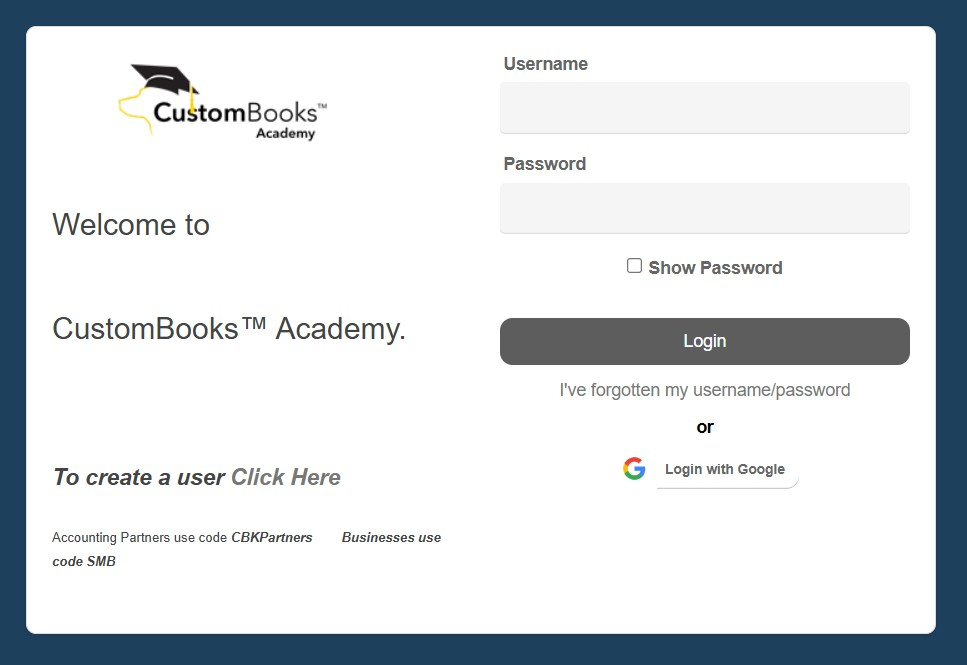
Step 2: Create your Academy account
Follow the registration instructions displayed on the Academy site to create your account. Use an email address you can access so you can receive information related to your Academy registration and training.

During Self Sign Up:
For Accounting Partners, use the code: CBKPartners
For Small and Medium-Sized Businesses, use the code: SMB
Step 3: Sign in to Academy
After completing registration, use your Academy credentials to sign in.
Important: Your CustomBooks Academy credentials are different from the credentials you use to sign in to the CustomBooks application.
Step 4: Find your Course
Once signed in, browse the available Academy courses and select the course you want to take.
Step 5: Enroll
Open the course and click Enroll. For a live course, additional registration may be required to select the date and time of the class you want to attend.
Already have an Academy account?
You do not need to register again. Go to CustomBooks Academy page, then sign in using your existing Academy credentials.
What can I do after registering?
Once you have access to Academy, you can explore available training such as:
- Core Certification
- Inventory Basics
- Advanced Certification
- Advanced Inventory
- Custom Print Forms
- Customization & Extensions
- Other available Academy courses
- Depending on the course, training may be offered live, self-paced, or through another specified format.
Frequently Asked Questions
1. Can I use my normal CustomBooks login for Academy?
No. Academy uses separate login credentials from the CustomBooks application.
2. Do I need an Academy account before enrolling in a course?
You need to sign in or sign up for Academy before following the course enrollment process.
3. Where do I find available courses?
After signing in to Academy, browse the available training and select the course you want to take.