Retained Earnings empty on Trial Balance Report
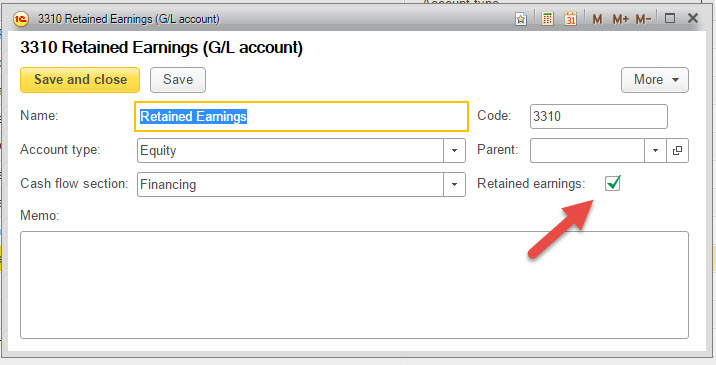
The Chart of Accounts needs to have an Retained Earnings account (usually an equity account) that has the retained earnings check box checked on the account card.
If you have a retained earnings account, open up the account by navigating to Accounting --> Chart of Accounts and double clicking the account to open it. Next, check the check box labeled Retained Earnings. Click Save and Close and re-run the Trial Balance Report.
If you do not have a retained earnings account, create one by navigating to Accounting --> Chart of Accounts and clicking create. Use Equity as the account type, name the account and check the Retained Earnings check box. Click Save and Close and re-run the Trial Balance Report.